Online Invoicing Software for Micro Businesses: Get Paid Faster
You finish a job on the 3rd. You get round to writing the invoice on the 19th. The client pays 30 days after that. Two weeks of your cash flow disappeared because of admin,…

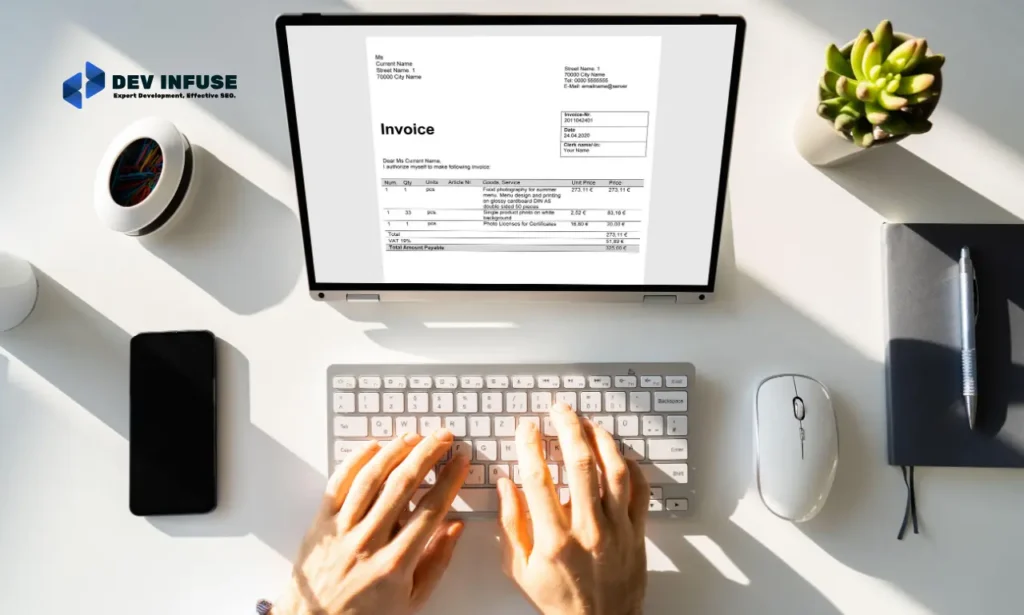
You finish a job on the 3rd. You get round to writing the invoice on the 19th. The client pays 30 days after that. Two weeks of your cash flow disappeared because of admin, not because anyone refused to pay you.
Here is what nobody tells you about running a one or two person business. Late payment is usually a symptom of late invoicing. The client is not stalling. You simply asked them sixteen days after you could have.
This guide covers what online invoicing software for micro businesses should do, which tools are genuinely free, what the paid ones cost, and the habits that get you paid faster. Where a tool is weak, this says so.
What does online invoicing software do?
It creates a professional invoice from a saved template, sends it as a link with a pay button attached, chases the client automatically when it goes overdue, and shows you at a glance who still owes you money.
The pay button is the part that changes your cash flow. An invoice that can be settled in two clicks gets paid noticeably sooner than one that requires someone to open their banking app and type your account details.
Is a Word template good enough?
For your first few invoices, yes. It stops being enough the moment you cannot answer, without checking, which invoices are currently unpaid and how overdue each one is.
My opinion here is unfashionable. Most micro businesses do not need accounting software. They need invoicing software. Those are different products, and the accounting one is usually sold to people who only ever use the invoice screen.
Buy the smaller thing. Add bookkeeping later, when a real limitation appears rather than when a sales page suggests one.
Which features actually matter?
Automatic reminders, a payment link, saved client details, and a clear list of what is outstanding. Recurring invoices matter enormously if any of your work is retained or subscription based.
- Automatic reminders. Removes the most uncomfortable job in small business admin.
- Card and bank payment links. The single biggest lever on how fast you get paid.
- Recurring invoices. Set retainers once and stop thinking about them.
- Mobile invoicing. Send from the client site before you have driven home.
- Clean outstanding list. One screen that tells you what you are owed today.
Set your terms deliberately. The UK government publishes clear guidance on invoicing and taking payment from customers, including what you may charge on overdue accounts. Knowing that makes chasing feel far less awkward.
Which invoicing tools should you consider?
Wave and Zoho Invoice are free and genuinely capable. Stripe and Square suit anyone already taking card payments. Invoice Ninja is the strongest self-hosted option. FreshBooks and QuickBooks add bookkeeping you may not need yet.
| Tool | Best for | Honest weakness |
|---|---|---|
| Zoho Invoice | Free, full featured invoicing | Pushes you toward the wider Zoho suite |
| Wave | Free invoicing plus light bookkeeping | Country support is limited |
| Stripe Invoicing | Businesses already taking card payments | Processing fees on every settled invoice |
| Square Invoices | Retail and service businesses on Square | Ties you to one payment ecosystem |
| Invoice Ninja | Self-hosting with no per-seat cost | You own hosting, updates and backups |
| FreshBooks | Service businesses wanting time tracking | Costs more than pure invoicing needs |
| QuickBooks | Wide accountant familiarity | Renewal pricing rises sharply |
| PayPal Invoicing | Fastest possible setup | Fees and a less professional presentation |
My practical recommendation for most micro businesses is Zoho Invoice or Wave to start. Both are free, both look professional, and neither locks you in. Upgrade only when a genuine limitation appears.
What does it cost?
Invoicing alone is often free. The real cost is payment processing, charged as a percentage of every invoice settled by card. That percentage matters far more than any subscription at micro business scale.
Check current rates directly, since they vary by country and payment method. Stripe documents its invoicing product and fees openly, and Wave, Zoho and Square all publish theirs. As of August 2026 the free invoicing tiers remain genuinely free.
Bank transfer costs you nothing but gets paid slower. Card costs a percentage and gets paid faster. For most micro businesses, faster is worth the fee, because cash flow problems cost more than processing does.
How do you actually get paid faster?
Invoice the same day the work finishes. Put the due date in plain words rather than jargon. Attach a payment link. Then let automatic reminders do the chasing so you never have to write that email.
- Build one invoice template with your terms already on it.
- Save your regular clients so raising an invoice takes two minutes.
- Send on the day the work completes, not at month end.
- Write the due date as a date, not as net 30.
- Switch on reminders at 7, 14 and 30 days overdue.
- Check the outstanding list every Monday.
Step four is small and surprisingly effective. Plenty of clients genuinely do not know what net 30 means, and an ambiguous invoice sits in an approvals pile while everyone waits for someone else to interpret it.
What mistakes do micro businesses repeat most?
The biggest mistake is batching invoices to month end. It feels organised and it quietly costs you weeks of cash flow every quarter.
- Leaving payment terms off the invoice, then feeling unable to chase
- Sending a PDF with bank details typed in the body and no payment link
- Never following up, because the follow up email feels rude to write
- Losing enquiries entirely because a contact form broke, which routine site maintenance would catch
- Running invoicing separately from the website when a small amount of custom development could join them
Automatic reminders solve the emotional problem, not just the admin one. Nobody resents a system. Plenty of people hesitate to send a personal chase, and that hesitation is expensive.
Where should you start?
Go back to that job finished on the 3rd and invoiced on the 19th. No feature fixed that. Sending on the day would have.
Set up a free tool this week, build one template with your terms on it, and switch on reminders. Good online invoicing software for micro businesses should take about an hour to set up and then quietly get you paid sooner every month afterwards.
My prediction is that instant bank payment links keep replacing card for invoices, cutting both the fee and the wait for small businesses.
What is your average gap between finishing work and sending the invoice? Most people have never measured it, and the number is usually the cheapest thing they can fix. Talk to our team about connecting invoicing and enquiries to your own site.
Related reading
- Ecommerce Site Search Software: How to Choose One That Sells
- Popup notification software for eCommerce upsells
- Online Booking System for Beauty Salons: Fill the Empty Chair
- Digital signage software for retail chains
- Pricing Optimisation Tool for Subscription Businesses
- Case study: Cobalt Shopify speed
- Free tool: Shopify Plus Break-even Calculator
Frequently asked questions
Do I need accounting software or just invoicing software?
Most micro businesses only need invoicing. Those are different products, and the accounting one is often sold to people who only ever open the invoice screen. Buy the smaller thing and add bookkeeping later.
Is free invoicing software good enough?
Yes for most one or two person businesses. Zoho Invoice and Wave are genuinely free, look professional and do not lock you in. Upgrade only when a real limitation appears.
What gets me paid fastest?
Invoicing on the day the work finishes, and attaching a payment link. An invoice settled in two clicks gets paid noticeably sooner than one requiring someone to open their banking app.
Should I write net 30 on my invoices?
Write an actual date instead. Plenty of clients do not know what net 30 means, and an ambiguous invoice sits in an approvals pile while everyone waits for someone else to interpret it.
Is card payment worth the processing fee?
Usually yes at micro business scale. Bank transfer costs nothing but is slower. Cash flow problems cost more than a processing percentage, so faster settlement normally wins.
How do I chase late payers without it feeling rude?
Switch on automatic reminders at 7, 14 and 30 days. Nobody resents a system. The hesitation to send a personal chase is what actually costs small businesses money.
Need a hand shipping this?
Our team builds high-traffic platforms for fintech, commerce and SaaS.
