Time Tracking Tool for Remote Freelancers
Working as a remote freelancer has many benefits. You can set your own schedule, choose where to work, and take on projects you enjoy. But it also comes with challenges. Staying productive, meeting deadlines,…

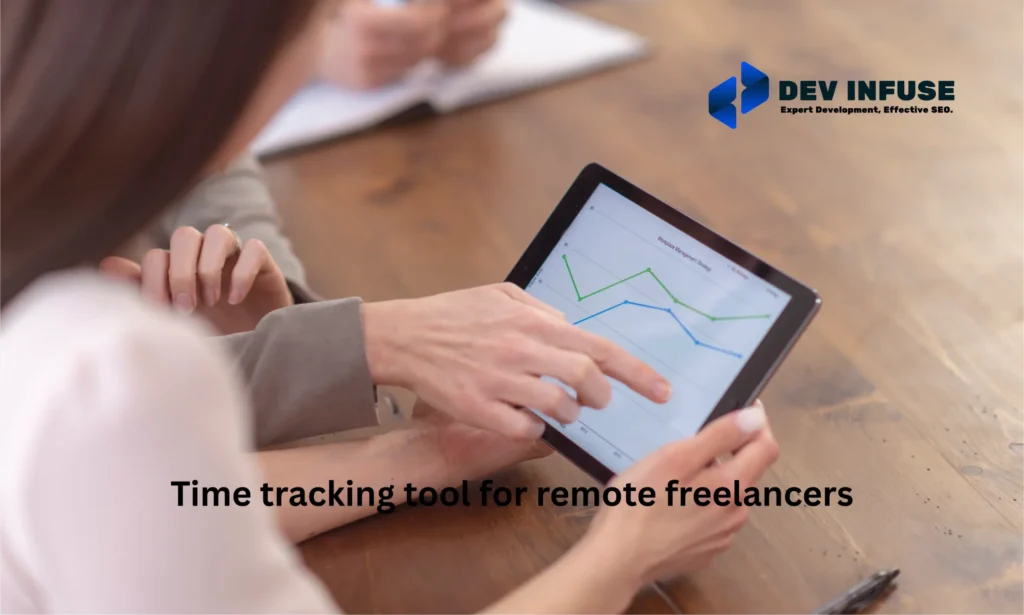
Working as a remote freelancer has many benefits. You can set your own schedule, choose where to work, and take on projects you enjoy. But it also comes with challenges. Staying productive, meeting deadlines, and managing multiple clients can be difficult. Without proper time management, it is easy to lose hours, overwork, or miss important tasks. Freelancers need tools to help track their work and stay organized.
A time tracking tool solves these problems. It records the hours you spend on each task automatically or manually. It helps manage multiple projects, track progress, and provide accurate billing. Many tools also give insights into work patterns, helping you improve focus and efficiency. Using a time tracker ensures deadlines are met, clients are billed correctly, and freelancers have a clear understanding of how they spend their time.
Why Time Tracking Matters for Remote Work
Time tracking is a vital tool for freelancers and remote workers. It goes beyond simply recording hours. It helps monitor productivity, manage multiple clients, and ensure accurate billing. Without it, freelancers risk losing time, missing deadlines, and underestimating effort on projects. Tracking time also provides insights into work habits and highlights areas where efficiency can be improved.
Productivity Monitoring
Remote work requires self-discipline and focus. Time tracking tools show how long tasks take in reality, helping freelancers identify distractions and periods of high focus. This allows better planning of daily schedules, prioritization of tasks, and improvement of overall workflow efficiency. It also helps identify tasks that consume more time than expected, so adjustments can be made for future projects.
Accurate Billing and Invoicing
Most freelancers are paid by the hour or project. Time tracking ensures every billable hour is recorded accurately. It provides detailed reports and proof of work for clients, reducing disputes and fostering trust. Accurate time records also help freelancers evaluate project profitability and make informed pricing decisions.
Work-Life Balance Insights
Time tracking reveals how work hours are distributed across tasks and projects. This helps prevent overworking and burnout. Freelancers can allocate time for breaks, personal activities, and self-care. Understanding work patterns enables a better balance between professional and personal life while maintaining high productivity.
Popular Time Tracking Tools for Freelancers
Freelancers often juggle multiple clients, projects, and deadlines. Managing time efficiently is crucial to staying productive, delivering work on schedule, and ensuring accurate billing. Time tracking tools help record work hours, monitor productivity, and provide detailed insights into how time is spent. Choosing the right tool can improve organization, reduce errors, and make invoicing faster and more transparent. Below are some of the most popular and widely used time tracking tools for freelancers.
1. Toggl Track
Toggl Track is known for its simplicity and ease of use. Freelancers can start and stop timers with a single click or manually log time. It provides visual reports and charts to analyze productivity trends. Toggl integrates with popular project management platforms like Asana, Trello, and Jira. Its mobile and desktop apps ensure freelancers can track time from anywhere, making it ideal for remote work.
2. Harvest
Harvest combines time tracking with expense management and invoicing. Freelancers can log hours, create professional invoices, and track project budgets in real time. It generates detailed reports that help evaluate profitability and team performance. Harvest also integrates with tools like Slack, QuickBooks, and Basecamp, making it suitable for freelancers who handle multiple projects and need seamless workflow integration.
3. Clockify
Clockify is a free, flexible, and versatile time tracking tool. It allows both manual and automatic tracking and supports unlimited projects and clients. Freelancers can generate detailed reports for billing and project analysis. Clockify is accessible via desktop, mobile, and browser extensions, ensuring tracking is consistent across devices. It also offers team management features for freelancers working with collaborators or small teams.
4. Hubstaff
Hubstaff is ideal for freelancers who need productivity monitoring along with time tracking. It includes features like activity levels, screenshot capture, GPS tracking, and automatic payroll calculation. Its reporting tools provide insights into time spent on tasks and projects, helping freelancers optimize workflows. Hubstaff is particularly useful for those managing multiple clients or remote teams who require accountability and detailed activity records.
5. Time Doctor
Time Doctor emphasizes productivity and accountability. It tracks time spent on tasks, applications, and websites. The tool highlights distractions and provides detailed insights into work patterns. Time Doctor integrates with popular project management and communication tools such as Trello, Asana, and Slack. Its focus on reducing wasted time and improving efficiency makes it ideal for freelancers seeking to maximize productivity and manage multiple clients effectively.
Top Benefits for Freelancers
Time tracking tools offer more than just recording hours. For freelancers, they are essential for staying organized, productive, and professional. Using the right tool can help manage multiple clients, improve focus, and ensure accurate billing.
- Improved Focus and Accountability: Time tracking encourages freelancers to stay focused on tasks. It helps identify distractions and time-wasting activities. By seeing exactly how time is spent, freelancers can hold themselves accountable, prioritize tasks, and improve overall efficiency.
- Accurate Client Billing: Freelancers often work by the hour or project. Time tracking tools ensure that every billable hour is recorded accurately. This reduces disputes, provides transparent records for clients, and makes invoicing faster and more reliable.
- Efficient Project Management: Time tracking tools help freelancers organize their workload. They can monitor how long each task takes, set realistic deadlines, and manage multiple projects simultaneously. This ensures that projects are completed on time and within budget.
- Insights for Personal Productivity: Time tracking provides data on work habits and patterns. Freelancers can analyze which tasks take longer than expected, identify peak productivity hours, and make adjustments to work more effectively. These insights support continuous improvement and smarter work strategies.
Choosing the Right Tool for Your Workflow
Selecting the right time tracking tool is essential for freelancers. A good tool should fit your workflow, match your work habits, and provide value without adding extra complexity. Not every tool works for every freelancer, so understanding your priorities ensures the best choice for productivity and efficiency.
Ease of Use
A simple and intuitive interface is key to consistent time tracking. Freelancers should look for tools with easy setup, one-click timers, and a minimal learning curve. The tool should allow quick task categorization, easy editing of entries, and clear reporting. Ease of use ensures that tracking becomes a seamless part of your daily routine rather than a time-consuming task.
Pricing and Plans
Cost is an important consideration, especially for freelancers managing tight budgets. Some tools offer free versions with basic tracking features, while paid plans provide advanced reporting, client management, and integrations. Understanding what you need now versus what you might need as your freelance business grows helps avoid overspending. Choosing the right plan ensures you get essential features without unnecessary extras.
Platform Compatibility
The tool should work across all devices you use, including desktops, laptops, tablets, and mobile phones. Web-based tools with browser extensions or apps make tracking seamless, whether you’re working at home, in a café, or while traveling. Integration with project management, invoicing, or communication apps ensures your workflow remains smooth and efficient.
Client Management Features
Freelancers working with multiple clients need tools that organize work per client and project. The best tools allow easy tracking of billable and non-billable hours, generate client-specific reports, and produce professional invoices. These features help maintain transparency with clients, avoid disputes, and save time on administrative tasks, leaving more focus for actual work.
Conclusion
Time tracking tools are essential for remote freelancers. They help monitor work hours, manage multiple projects, and ensure accurate billing. With clear insights into work patterns, freelancers can improve focus, stay productive, and meet deadlines consistently. These tools also make invoicing easier, reduce disputes with clients, and provide proof of work when needed.
Using the right time tracking tool keeps freelancers organized and accountable. It supports better project planning, efficient workflow, and a healthy work-life balance. By choosing a tool that fits their needs, freelancers can save time, increase earnings, work effectively, and grow professionally.
Related reading
- Cross-Team Chat Integration: Connect or Consolidate?
- Creative Agency Workflow Software: How to Pick One Your Team Uses
- HR Software for Distributed Teams: What Breaks When You Hire Abroad
- Performance review software for remote employees
- Construction project management software for small firms
- Case study: Cedar franchise multisite
- Free tool: Website Maintenance Cost Calculator
Frequently asked questions
What is a time tracking tool?
It records the hours you spend on tasks and projects, helping freelancers bill accurately, measure productivity, and manage their workload.
Why do remote freelancers need time tracking?
It ensures accurate billing, shows how time is spent, helps meet deadlines, and provides proof of work for clients who pay by the hour.
Can time tracking tools create invoices?
Many time trackers turn logged hours into invoices automatically, so freelancers can bill clients directly from their tracked time.
Need a hand shipping this?
Our team builds high-traffic platforms for fintech, commerce and SaaS.
